새로운 버젼 또는 브랜치 업데이트
다운로드 대신에 당신 스스로 빌드하세요
AndroidAPS는 의료기기 규정 때문에 다운로드 가능하지 않습니다. 당신 스스로 사용하기 위해 앱을 빌드하는 것은 합법입니다. 그러나 빌드 복사본을 다른 사람과 공유하시면 안됩니다! 세부사항은 FAQ 페이지를 참고하세요
중요사항
- Please update as soon as possible after a new release is available. You will receive an information on the AndroidAPS home screen about the new version.
- As of version 2.3 you have to use git to update. Updating via zip file does not work anymore.
- As of version 2.7 repository location changed to https://github.com/nightscout/AndroidAPS. If you are not familiar with git the easiest way for update is remove directory with AndroidAPS and do a new clone.
- Please use Android Studio Version 4.0.1 or newer to build the apk.
- Windows 10 32-bit systems are not supported by Android Studio 4.0.1.
- If you are using xDrip make sure to identify the receiver.
- If you are using Dexcom G6 with the patched Dexcom app you will need the version from the 2.4 folder.
기존 사용자들을 위한 간단한 세부설명
처음 업데이트하는 경우 이 단락을 건너뛰십시오. 이 간단한 세부설명은 기존 사용자를 위한 것입니다. 만일 Git이 설치되지 않았다면 Git 설치를 하세요.
당신이 윈도우 PC를 사용하고 이전 버전에서 AAPS를 업데이트했다면, 다음 네가지 단계를 업데이트할 수 있습니다.
- 현재 사용중인 AAPS 버전에서설정 저장하기 하여 설정파일을 저장하세요
- Update local copy (VCS->Git->Pull)
- 싸인된 APK파일을 생성하세요 (WEAR가 아닌, APP을 선택하셔야 합니다)
- 4.BG 소스로, xDrip 내에서 리시버를 선택하시거나, 2.4폴더 이후버전의 Dexcom app을 선택하세요.
Git를 설치하세요. (미설치시)
설치 페이지에 있는 매뉴얼을 따르세요.
저장파일을 업데이트 하세요.
As of version 2.7 repository location changed to https://github.com/nightscout/AndroidAPS. If you are not familiar with git the easiest way for update is remove directory with AndroidAPS and do a new clone.
Click: VCS -> Git -> Pull
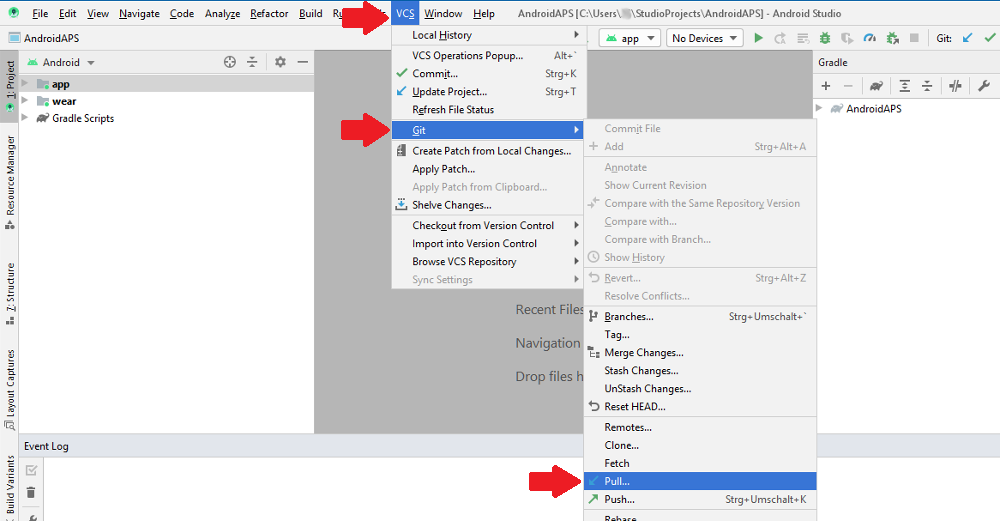
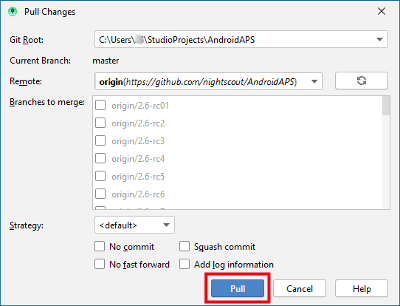
Click Pull (no changes in dialog field)
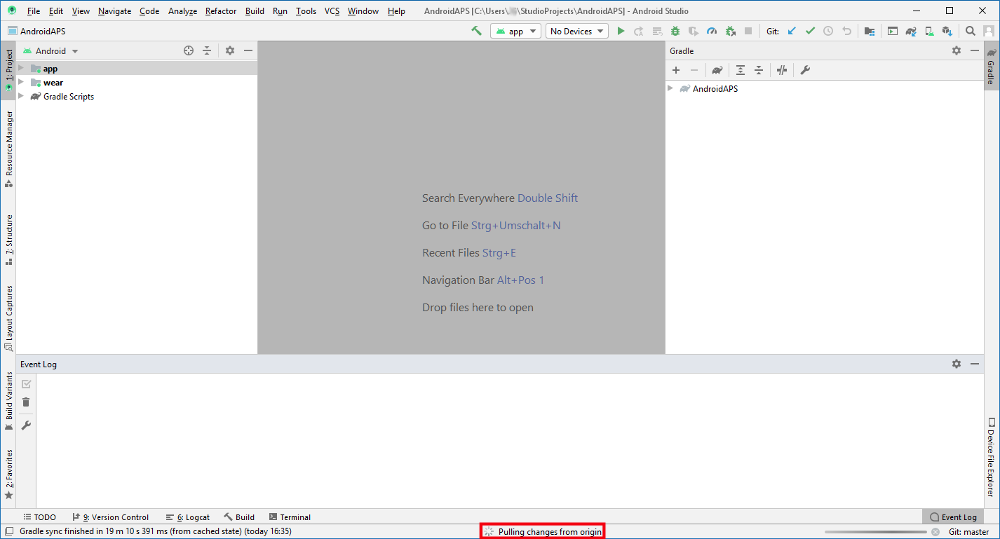
Wait while download is in progress.
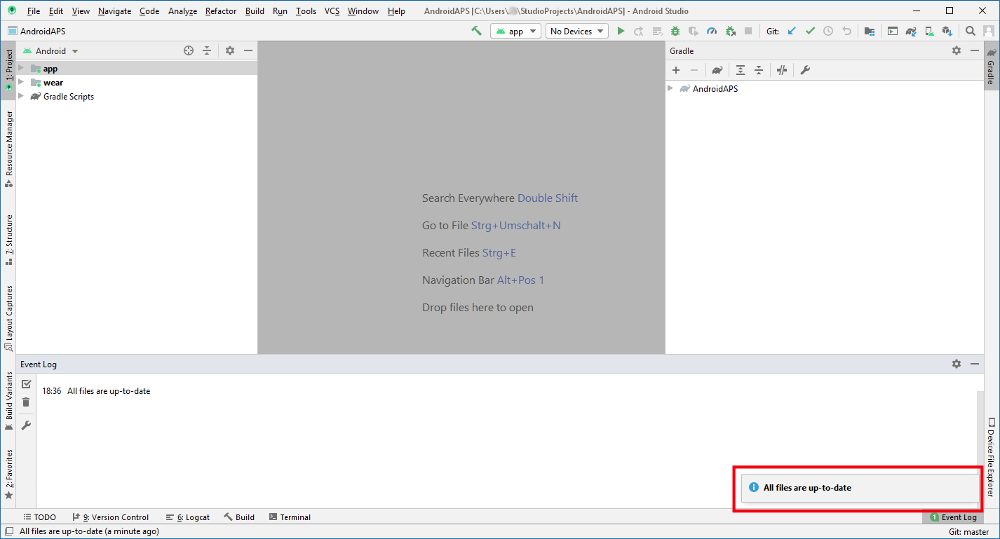
When done Android Studio will inform you that “all files are up-to-date”.
서명된 Apk파일 설치하기
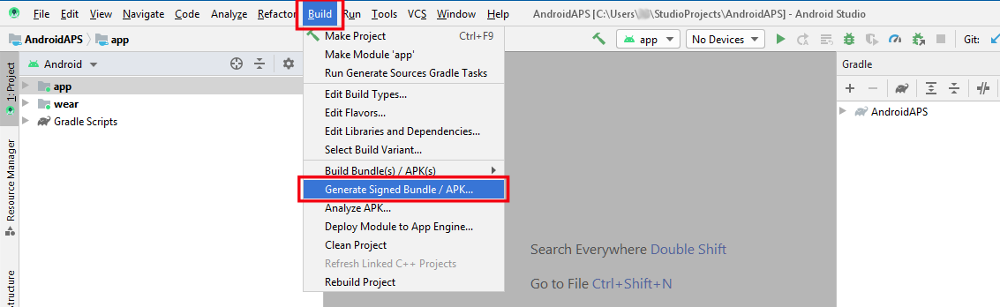
- Click “Build” in the menu bar and select “Generate Signed Bundle / APK...”.
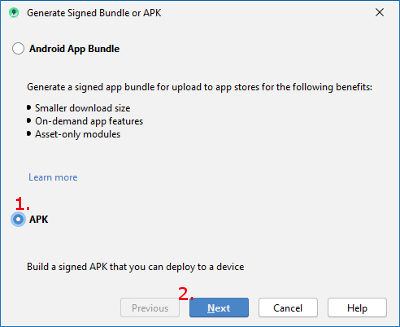
- Select “APK” (1.) instead of “Android App Bundle” and click “Next” (2.).
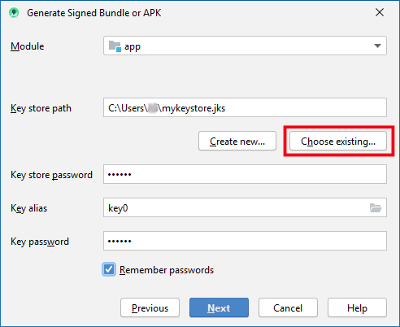
- Make sure that module is set to “app”.
- Select your key store path by clicking on “Choose existing...”.
- Enter your passwords for key store and key.
- If the box to remember passwords is checked you don’t have to enter them. In case the box was not checked during last build and you cannot remember the passwords refer to the troubleshooting section.
- Click “Next”.
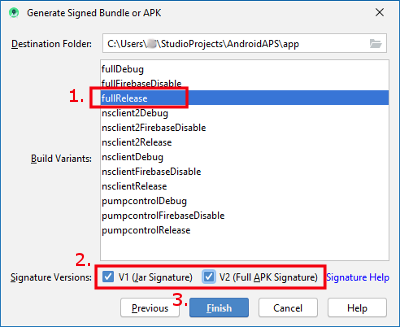
- Select build variant “fullRelease” (1.).
- Check boxes V1 and V2 for signature versions (2.).
- Click “Finish”. (3.)
- Android Studio will display the information “APK(s) generated successfully...” after build is finished.
- In case build was not successful refer to the troubleshooting section.
- Easiest way to find the apk is to click on “Event log”.
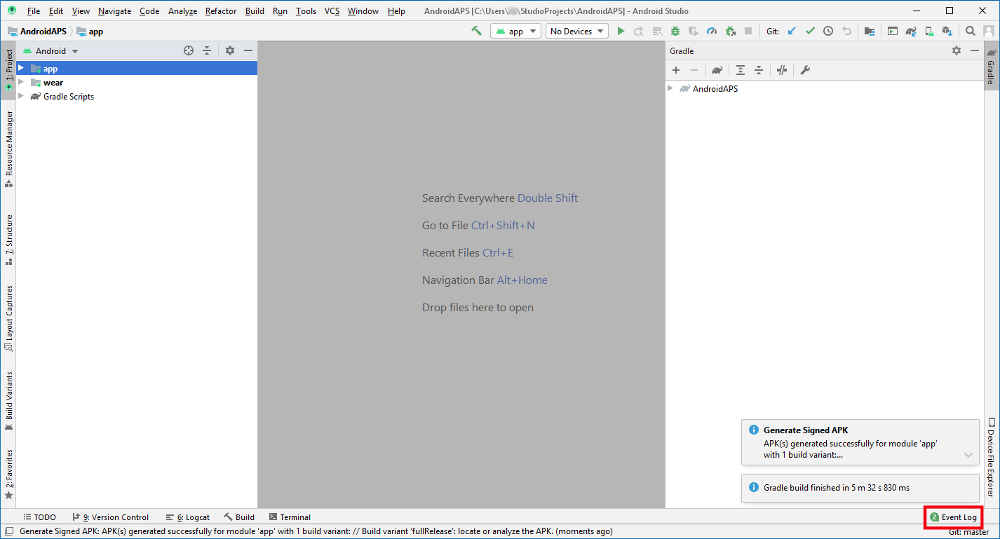
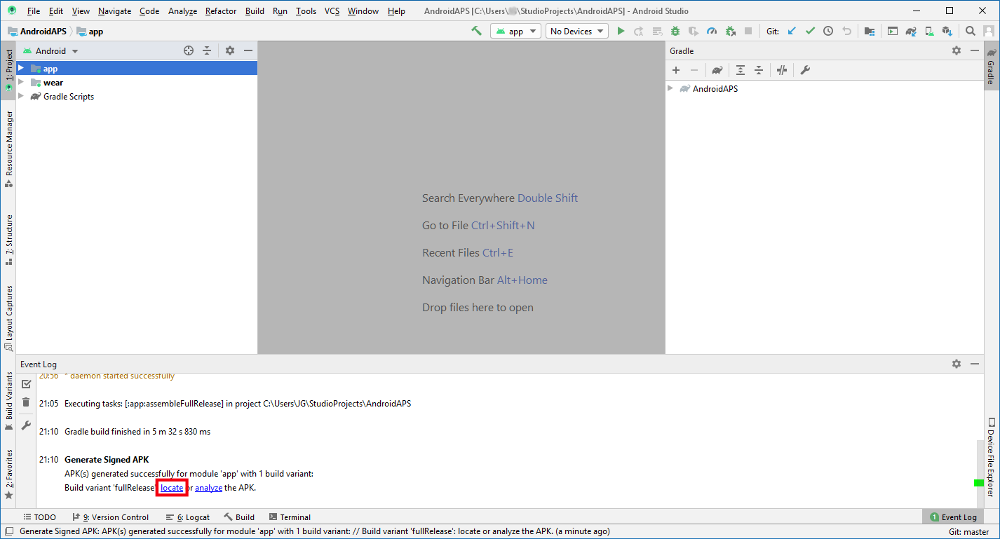
- In the event log section click “locate”.
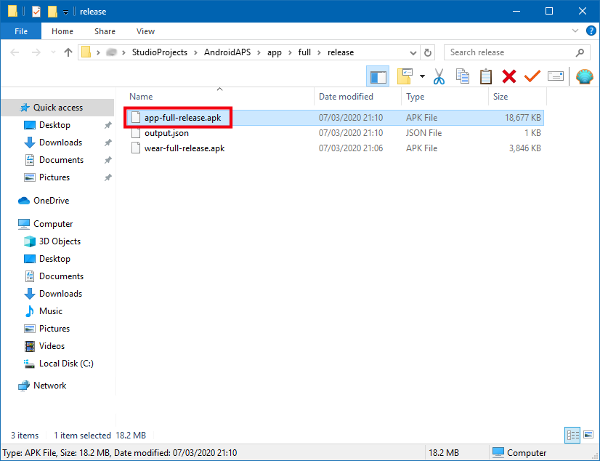
- app-full-release.apk is the file you are looking for.
스마트폰에 apk파일을 보내기.
Easiest way to transfer app-full-release.apk to your phone is via USB cable or Google Drive. Please note that transfer by mail might cause difficulties and is not the preferred way.
On your phone you have to allow installation from unknown sources. Manuals how to do this can be found on the internet (i.e. here or here).
폰에있는 AAPS 버전 확인하기.
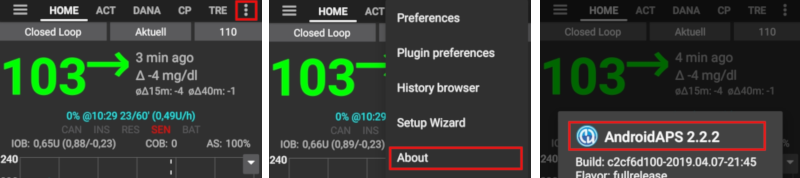
You can check the AAPS version on your phone by clicking the three dots menu on the top right and then about.
문제해결
별도의 Android Studio 문제해결 페이지를 보세요.